Recently we visited some relatives in Denmark, together with my family. By pure coincidence, as we were walking through Elgiganten, I spotted and immediately bought the C64 reborn. You can check out one good review here.
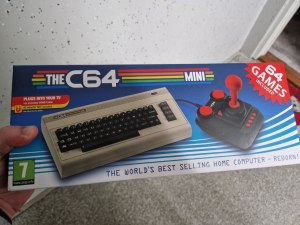
It comes with a few games and a BASIC interpreter, so not much can be done other than playing games and writing some BASIC code. Some software can be downloaded and used from commodore.software. But, in this post, we will take it further by extending it with programs we will write ourselves.
Suggested music to listen to while working through the steps: MarkDeeHD – Computer Love
To start developing on a Mac, you will need brew. Once you have it, it’s straightforward – we’ll just need two packages:
brew install viceto install VICE, a C64 emulator (VersatIle Commodore Emulator)brew install dasmto install DASM, an assembler for C64 (6502)
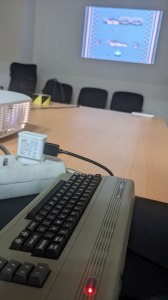
The syntax of DASM is pretty standard (as with most assemblers), though if you need it, there’s documentation as well. As an example, I used the following “Hello world” program, mostly taken from this gist:
  processor 6502
  org $0801 ; program will be stored in 0x0801 (2049)
  dc.b $0b,$08,$d4,$07,$9e,$32,$30,$36,$31,$00,$00,$00 ; automatically runs SYS 2049

; set up some helpful labels
CLEAR  = $E544
CHROUT = $FFD2

  jsr CLEAR    ; clear the screen
  ldx #0       ; put 0 in x

read:
  lda msg,x    ; put msg[x] in a
  cmp #0       ; compare a with 0
  beq end      ; end if true
  jsr CHROUT   ; output a
  inx          ; x++
  jmp read     ; loop

end:
  rts          ; return

msg: .byte "HELLO WORLD", $00
There seems to be an instruction set here if you need it. This code translates to roughly the following C code:
#define CLEAR ((void (*)(void))0xE544)
#define CHROUT ((void (*)(char))0xFFD2)

int main() {
  char *msg = "hello world";

  CLEAR();

  for (int x = 0; msg[x] != '\0'; x++) {
    CHROUT(msg[x]);
  }

  return 0;
}
The first three lines of the assembly are parameters for the cross-assembler:
- The first command specifies the processor
- The second command specifies that the contents of this binary file will be
PEEKed into0x0801 - The third command automatically executes the program by running
SYS 2049(which is0x0801)
Once you have the file ready, we can start assembling it as follows:
$ dasm hello.dasm -ohello.prg
Complete. (0)
$ hexdump hello.prg
0000000 0801 080b 07d4 329e 3630 0031 0000 4420
0000010 a2e5 bd00 0821 00c9 07f0 d220 e8ff 124c
0000020 6008 4548 4c4c 204f 4f57 4c52 0044
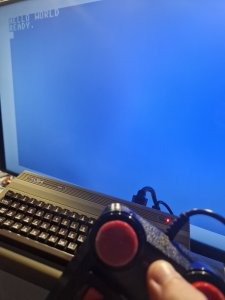
The assembler outputs a binary prg file. To run this file, we can launch VICE by writing x64sc hello.prg, and the program will output “Hello world”.
The next thing to do was read the C64 reborn’s manual – tl;dr, it says: just insert a USB flash drive with a .prg file and everything should work. And it did! Sweet.
While a .prg file represents a binary file, we can also create (just for the fun of it) a .d64 diskette file. Diskettes are helpful if we have more files/binaries and want to compress them to a single file. In this case, it might be redundant (since we only have a single hello.prg) but we’re doing it anyway:
$ c1541 -format diskname,id d64 hello.d64 -attach hello.d64 -write hello.prg hello # c1541 comes from VICE
formatting in unit 8 ...
writing file `HELLO.PRG' as `HELLO' to unit 8
Running .d64 on either VICE or the C64 reborn works just fine, and as simple as the .prg file.
I also ported the sidtune example from 8bitworkshop. I only needed to copy the sidtune.dasm file somewhere, and then replace include "cartheader.dasm" with the following code:
; header
  processor 6502
  org $0801
  dc.b $0b,$08,$d4,$07,$9e,$32,$30,$36,$31,$00,$00,$00
Well, that’s a wrap! Happy hacking 🙂

 bor0's reflective blog